
How to Mark End of Year Status for a student
Purpose: The purpose of this article is to detail how to mark a students end of year progress. Please note, not all districts have the same end of year process. Please check with your district lead if you are unsure of your LEAs end of year process in regard to student status.
All students default to promoted (or your LEAs equivalent).
To change a students End of Year status please follow these steps:
- Navigate to the Student Detail page by Using the Student Search or selecting the student name from any of the lists in the system.

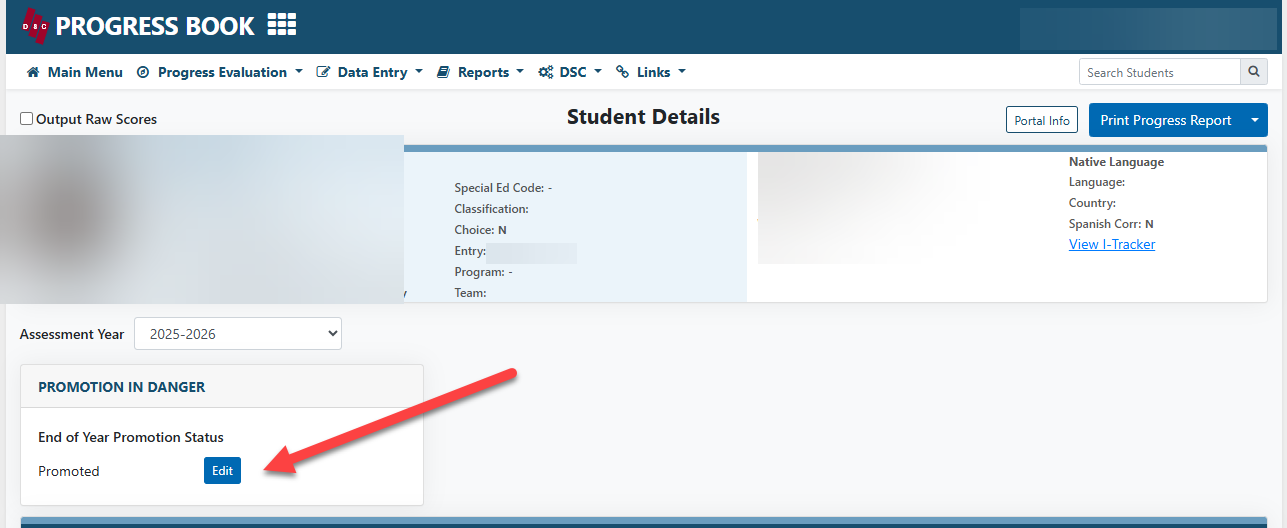
- Select the Edit button under the End of Year Promotion Status:
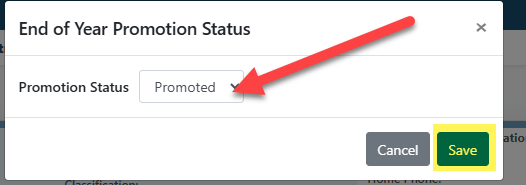
- In the pop up provided please select the appropriate promotion status from the dropdown and select Save. Please note, if the pop up does not appear please check to ensure you don't have pop ups block for the DSC site.
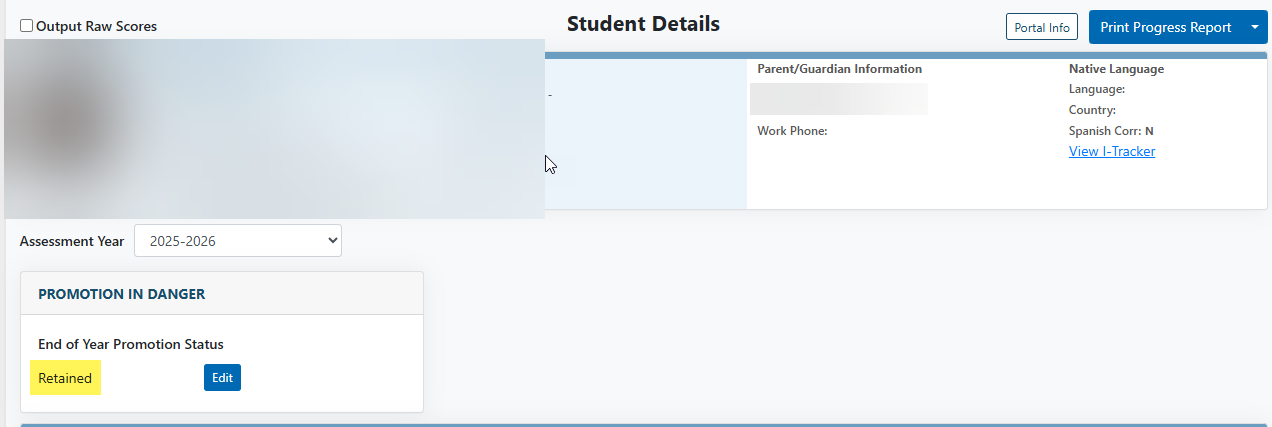
- Once the status has been changed and save it should reflect on the student detail page.
Please note: This will only change the status on the student report card. LEAs will still need to log into the SIS and to change a students status if they would like it reflected in the students record.
Contact our help desk for support
Monday – Friday 7:00am - 4:00pm