
Sharing a Teacher Created Assessment
Sharing a Detailed Assessment
Purpose: The purpose of this feature is to allow teachers who have created a teacher created assessment in the system, to share the assessment with other teachers in the building.
Steps:
1. Create a teacher created assessment.
You can find instructions on how to create the assessment here: Creating a Teacher Created Assessment
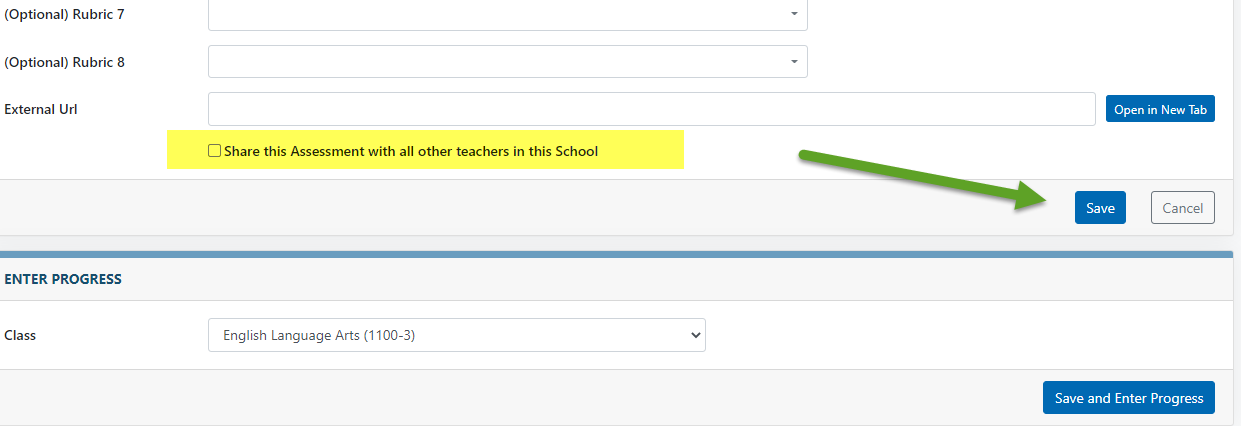
2. before saving the teacher created assessment select the Share this Assessment with other teachers in this School check box and select the save button.
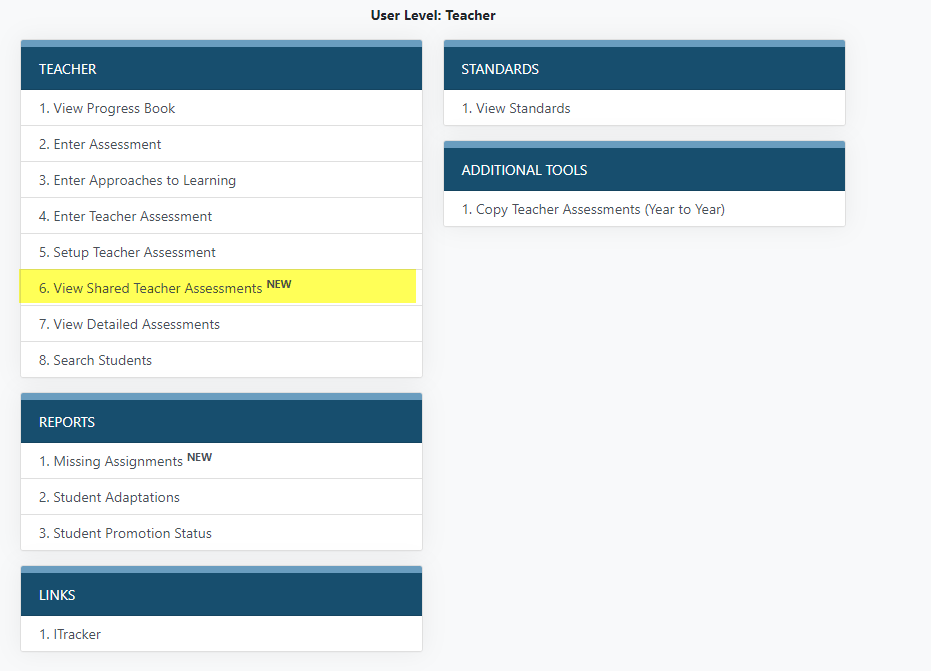
3. Once the assessment has been saved it can be viewed by other teachers from the View Shared Teacher Assessments link on the home page.
4. You can find instructions on how to copy a teacher created assessment here: Copying a Teacher Created Assessment